
How-To: Get GTX460 Graphics Card Working on Ubuntu (10.04)
I’ve just upgraded my computer and with this came the multiple decisions of what to buy, followed by the nightmare of installing Windows 7 and then to be dragged into the problems Ubuntu is likely to have with up-to-date hardware.
A little part of me was hoping that Ubuntu would be able to handle it, but alas, there was a graphics card issue. However credit to Ubuntu for making everything else work out of the box (apart from the minor issue of SATA 3.0).
Anyway, to get to the point, this is how I got my GTX 460 (Gigabyte 1GB card) working under ubuntu:
To start off with I needed to install the x-update ppa, which can be done by going to System > Administration > Synaptic Package Manager then from the drop down menus go to Settings > Repositories > Other Software, click ‘Add’ and then paste in:
ppa:ubuntu-x-swat/x-updatesClose the repositories window and click reload, press mark all upgrades, and then do a search for ’nvidia-current’, select this package and click apply.
After this is done reboot your computer (Note: perhaps bookmark this page before you do :-P).
Now go to Applications > Accesories > Terminal and run:
sudo nvidia-xconfigThis will set up and x-org conifg file for you, do one last reboot to make sure everything sticks.
Run the nvidia settings program by going to Accessories > Terminal and typing:
sudo nvidia-settings
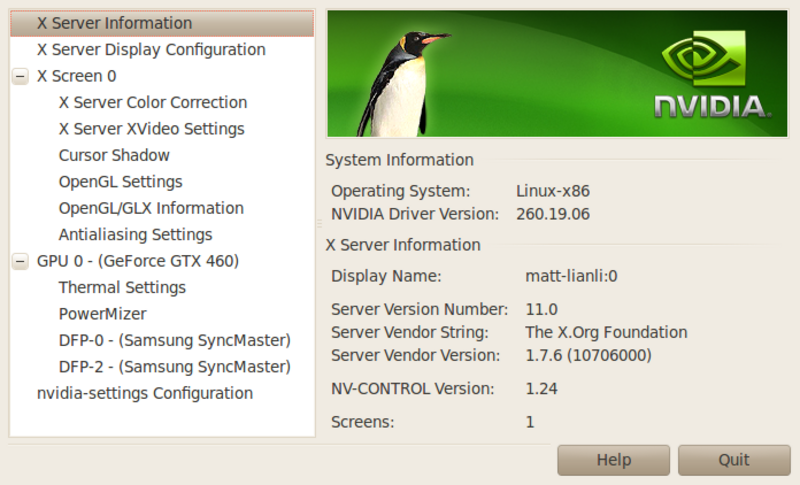
Done, happy compizing.
Orig. Photo: https://flic.kr/p/aSuFnH
Found an issue?
All my posts are available to edit on GitHub, any fix is greatly appreciated!